Before building
Shaping the feature
Worked with product, design, backend, QA and operations to agree how each flow should work, question confusing steps and spot missing states and what could go wrong.
ChefKart · Associate Software Engineer
Customers could arrive in different ways. Some discovered ChefKart through a Google search and a city page. Others opened the mobile app directly, selected their location and checked which services were available nearby.
I helped build these customer paths and the operational systems behind them across ChefKart’s React Native app, Next.js website, payment application and internal operations dashboard.
Gurugram · Onsite · December 2025 – Present
React Native · Next.js · TypeScript · Redux · Razorpay · SSR · REST APIs

Website · Next.js
Search and campaign customers arrive
Customer app · React Native
Direct and returning customers book
Payment application · Payments
Payments are executed and confirmed
Operations dashboard · React
The team fulfils the visit
35.05% of the app’s and 33.18% of the website’s current source-code ownership. See the full evidence
Who I built for
ChefKart lets people book a professional cook for their own kitchen. Customers got there in three different ways, and I worked on the screens behind all three.
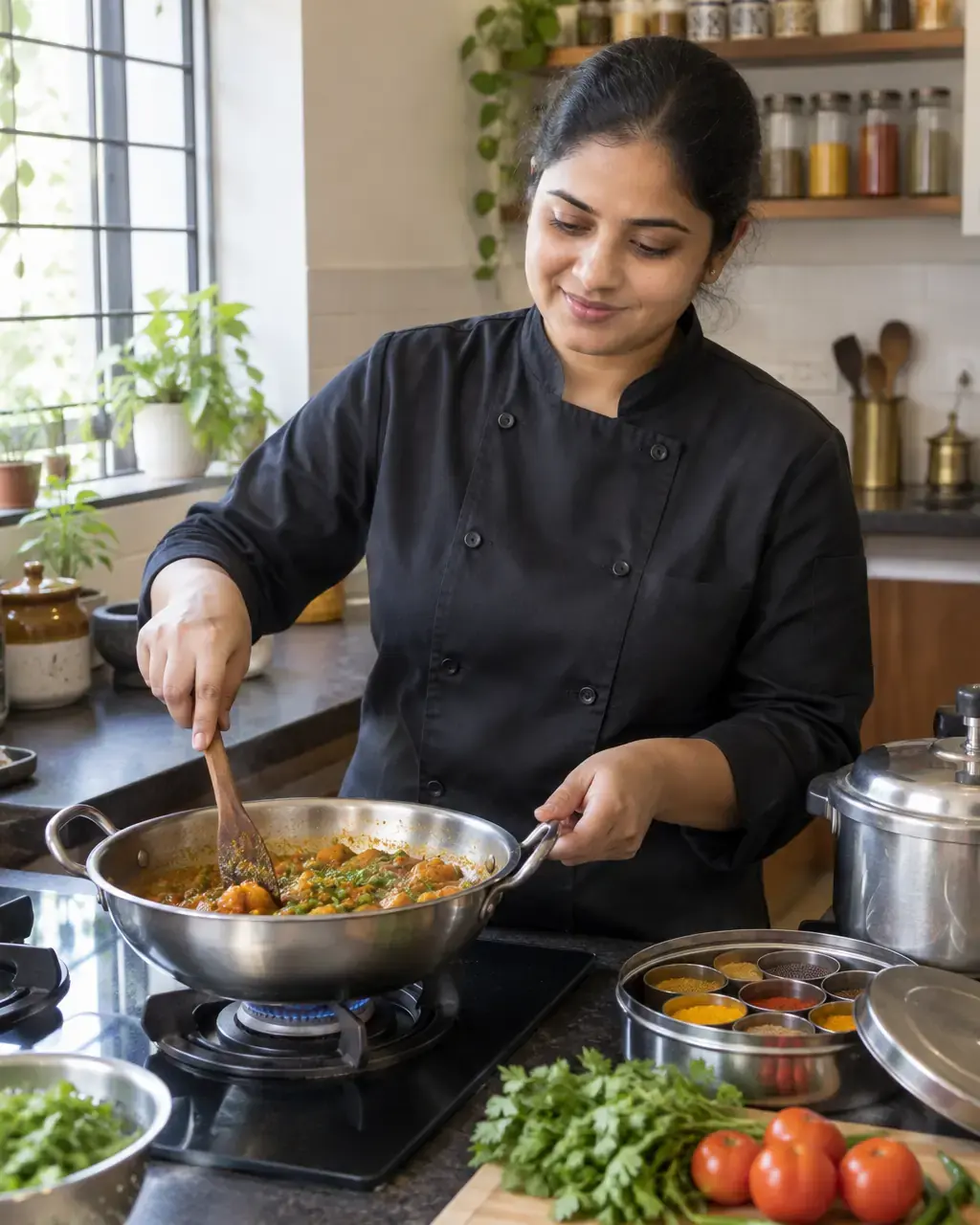
They landed on a city or Cooks Near Me page from search, checked that ChefKart served their area, looked at what was on offer and started booking on the website.
They heard about ChefKart from a friend, an ad or the app store, signed up, set their location, checked availability and booked without ever leaving the app.
They opened the app to book again, manage an upcoming visit, pay what was left, change their cook, share feedback or get help from support.
From booking to visit
Website or app, every booking then followed the same steps, with an operations team making each visit happen.
Starting on the website
4 stepsStarting in the app
4 stepsThen, for everyone
5 stepsBehind the scenesOperations dashboard
5 stepsI worked on both sides: the screens customers used, and the dashboard the operations team ran every visit from.
What I worked on
Each one handled a different part of getting a cook into someone’s kitchen.
The customer app. It took people from signing up and setting their location to seeing what was available, booking, paying, managing upcoming visits, giving feedback and getting support.
Where people landed from Google or an ad. City, service, cook and pack pages helped them check that ChefKart covered their area and move towards booking.
Took payments and tracked whether each one went through, across different services and types of payment.
The internal tool the operations team used to deliver visits, manage cooks, sort out incidents, review payments and keep service details up to date.
My role
I built across the app, website, payments and operations tools. My part usually started before any code was written, and didn’t end at launch.
Worked with product, design, backend, QA and operations to agree how each flow should work, question confusing steps and spot missing states and what could go wrong.
Turned requirements and designs into working screens, connected them to the APIs, added tracking for key actions and tested them.
Kept refining the experience and fixed issues as they came up in production.

Case study 1 · Payments
Almost every ChefKart service takes money. I built the shared payment layer they all use, including Quick Buy, and designed it so an unclear payment isn’t shown as failed before the server confirms it.
Customers paid for one-time bookings, Book by Dish, party bookings, packs, remaining balances, wallet top-ups and cook tips.
If every service handled payments its own way, the experience would feel inconsistent and failures would be harder to control. UPI adds a twist: what the payment app reports back isn’t always the final word on whether money actually moved.
A reusable React Native payment layer that every service plugs into:
A UPI app can finish a payment after the customer has already come back to ChefKart. So when it returns an unclear error, showing “Payment failed” straight away might be wrong, and could push someone to pay twice.
The app sorts every response first. It’s a small UX difference with real money behind it: payment screens have to be designed around uncertainty, not just the happy path.
I reviewed the whole payment flow and wrote down the risks: duplicate orders, UPI success arriving late, the app resuming mid-payment, repeated requests, pending states, verification and logging. That led to focused tests for polling, locking, analytics, error handling, amounts, Razorpay calls and Quick Buy preloading.
Size of the work
Quick Buy integration
110 files
+9,431 lines added · −3,486 removed
Wallet
116 files
+4,957 lines added · −542 removed
Cashback
84 files
+3,614 lines added · −165 removed
What this shows
Reusable architecture, third-party payment integration, careful failure handling, state management, observability, and working on a product where mistakes cost real money.
Case study 2 · Book by Dish
Some customers knew what they wanted to eat before they knew which service to book. I built Book by Dish end to end, from finding a dish to paying and following the visit.
Inside the app, people didn’t always start with a service type. Sometimes they started with a dish they were craving. Book by Dish had to turn that into a full booking: finding dishes, choosing them, seeing the price for their area, checking a cook was available, picking a time, paying and following the visit afterwards.
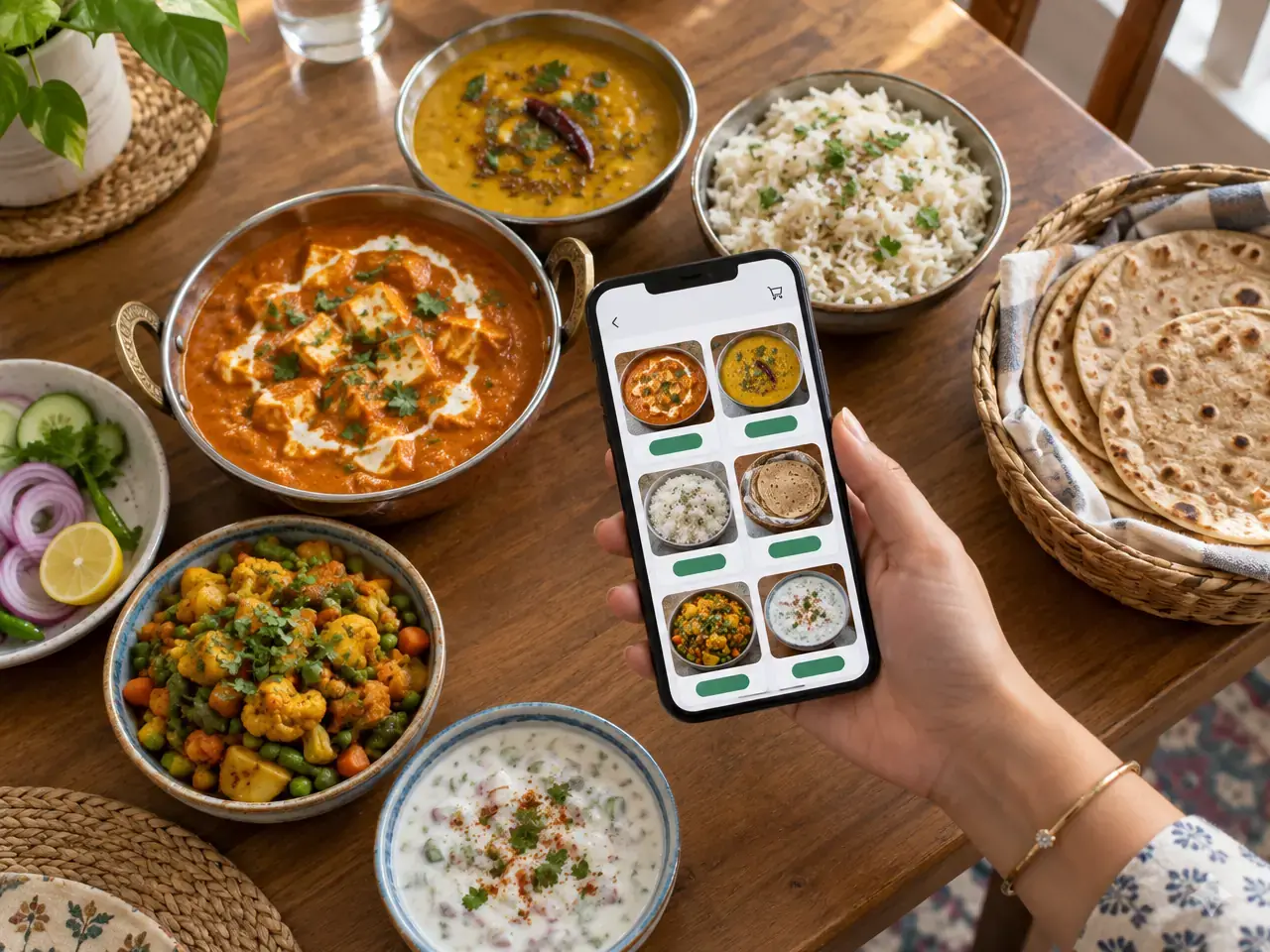
The dish catalogue is large, and downloading it every time the app opens would make returning customers wait. So the app keeps a saved copy and checks a small version number in the background to see whether anything changed.
It also ignores repeat refreshes when someone quickly switches in and out of the app, so the same request is never sent twice.
Size of the work
Initial feature
147 files
+14,826 lines added · −452 removed
What this shows
End-to-end product ownership, Redux and saved-state design, search and catalogue screens, performance thinking, working offline, and connecting one feature across the whole booking flow.
Case study 3 · City pages
People searching for a cook in their city often met ChefKart on the website first. I built city pages that work for search and stay connected to live availability, slots and prices.
Someone searching for “cooks in Gurugram” might find ChefKart on the web before ever opening the app. For them, a city page couldn’t just be an article written for Google. They wanted to know whether ChefKart covered their area, what they could book, when, and for how much. So the pages had to bring in search traffic and show live booking information at the same time.
Some things on the page rarely change: city content, cuisines, FAQs, popular dishes and reviews. A small server-side cache keeps those. When lots of visitors arrive at once, they share one request instead of all hitting the backend.
Availability and prices always come fresh. Out-of-date text is a small annoyance; an out-of-date price or slot is a broken promise to a customer.
The page needs data from many separate sources. Instead of waiting for each in turn, everything that doesn’t depend on something else starts together: navigation, content, packs, the city itself, dishes, cuisines, FAQs, reviews and occasions. Once the city is known, availability, live slots, areas and featured cooks load together too.
If an optional section fails, it falls back quietly and the rest of the page keeps working, while serious failures stay visible. The page also tells apart three different situations: a real city ChefKart doesn’t serve yet, a link that doesn’t exist, and a problem on the server.
Size of the work
City pages, first version
188 files
+14,739 lines added · −324 removed
Live city data and booking
78 files
+5,139 lines added · −801 removed
Responsive location picker
55 files
+1,837 lines added · −404 removed
What this shows
Next.js server rendering, coordinating many APIs, a careful caching strategy, performance work, keeping failures contained, and SEO-aware pages connected to live bookings.
Case study 4 · Cooks Near Me
Some customers wanted to pick a cook first, not a service. On the website, I worked on the Cooks Near Me listing and the cook profiles behind it, building on the original pages.
Letting someone cook in your kitchen takes trust. Before booking, a visitor wants to know what each cook makes, whether they cover the area, how experienced they are, what other customers thought and what it costs. The app had its own way of finding a cook, so these pages were for people who started on the website.
Size of the work
Listing and profile redesign
67 files
+4,198 lines added · −2,481 removed
What this shows
Designing for trust, presenting a lot of detail clearly, search and filter UX, caching, and turning browsing into a booking.
Case study 5 · Party bookings
A party is much more than a regular cook visit. I worked on the screens that let customers plan one, pay for it in parts and change it later, and on the view the operations team used to deliver it.
A customer chooses a whole menu, edits dishes and shares food preferences and instructions. They need to know which ingredients and equipment to have ready. Payment is split into an advance and a remaining amount, and the booking still has to work when extra charges come up or plans change after paying.
I also worked on the matching part of the operations dashboard, so everything the customer set up reached the team who had to deliver the party.
What this shows
Handling complex booking flows, payments in parts, changes after payment, and keeping the customer app and the operations dashboard in step.
Case study 6 · Operations tools
Customers only see half of a service business. The operations team needed their own tools to run visits, look after cooks, handle problems and keep the menu up to date, and I worked on many parts of the dashboard they used every day.
Every booking a customer made became work for someone. The operations team needed to see every visit, the cooks, incidents, payments, the dish catalogue and anything that went wrong, in one place.
Size of the work
My code still in the dashboard
17,124 lines
About 11.72% of its current source
First version of visit tracking
13 files
+2,496 lines added · −570 removed
What this shows
Understanding the business beyond the customer app, and turning day-to-day operations into internal software that is clear and consistent to use. Internal tools are described at a general level; no internal screens or data are shown.
Breadth of work
The case studies above go deep on a few features. This is the full range, grouped by the product it belongs to.
19 areas
14 areas
10 areas
Engineering
The habits behind the case studies above, in plain words.
The simplest thing to build isn’t always the honest one. In payments, availability, pricing and delivery, showing the wrong state costs real money and trust.
Payment screens, booking summaries, status labels and shared operations views work best as common components with clear rules, so they behave the same everywhere.
If two requests don’t depend on each other, neither should wait for the other. This shaped how the city pages load on the server.
Content, menus, prices and availability go out of date at different speeds. Treating them the same either wastes resources or makes promises that are no longer true.
Losing the internet, an unclear payment, a missing section, an unsupported city, a slow API, a retry or a cancellation are all part of the experience, so each one needs proper handling.
A website visitor, a new app user and a returning customer start with different context. Good architecture respects that while keeping booking, payment and delivery the same for everyone.
Working on the operations tools gave me a clearer picture of delivery, incident response and support, and that made my customer screens better.
Contribution
Where my code stands today in each of ChefKart’s four repositories.
#1of 18 current contributors
#1of 13 current contributors
17,124surviving lines
625surviving lines
Across all four
461
Authored commits across four repositories
107,794
Currently surviving source lines
1,065
Distinct files introduced across the three main products
How this was measured
Current ownership was calculated with git blame on the development branches across non-blank TypeScript, JavaScript, React, CSS, SCSS and HTML source lines. Generated and vendor code was excluded, and multiple Git identities belonging to the same developer were consolidated. These numbers measure current surviving source ownership, not every line ever added. They are supporting evidence of scope; the product journeys and engineering decisions above are the more important measure of the work.
What I bring
What the work above adds up to, for the team I join next.
Ownership across multiple customer entry paths and complete service journeys
Strong React Native, React, Next.js and TypeScript execution
Product thinking alongside frontend engineering
Experience with payments and operationally sensitive workflows
Performance, caching and resilience thinking
Ability to work across customer and internal products
Clear collaboration with product, design, backend, QA and operations
A habit of improving features after their first release
In my words
The work I am proudest of is not a single component or a large commit. It is following a real customer problem, whether it begins on the website or inside the app, carrying it across booking and payment, understanding the operational consequences, and building a solution that stays reliable outside the happy path.
The short version: my role, what I built, how much of the code is mine and whether I’m open to new roles.
I’m an Associate Software Engineer, working there since December 2025. I build the customer app, the website, the payment application and the dashboard the operations team uses every day.
Six pieces of work are covered on this page: the payment layer every service uses (including Quick Buy), Book by Dish, city pages, Cooks Near Me, party bookings and the operations team’s tools.
React Native for the app, Next.js and React for the website and dashboard, and TypeScript throughout. Also Redux, Razorpay, server-side rendering, REST APIs, caching and analytics.
No. I also handle what happens when things go wrong, such as an unclear payment, no internet or a failed request. I make caching and rendering decisions too, and build tools for the operations team.
I’m the #1 contributor on both the app (out of 18) and the website (out of 13). Across four repositories, that’s 461 commits and 107,794 lines of my code still in use. The Contribution section shows how this was measured.
Yes. I’m based in Gurugram, Haryana, and open to frontend and React Native opportunities where I can own a product journey from start to finish.
I’m looking for frontend and React Native opportunities where I can take meaningful product ownership, collaborate closely with product and design, and help build experiences customers use every day.